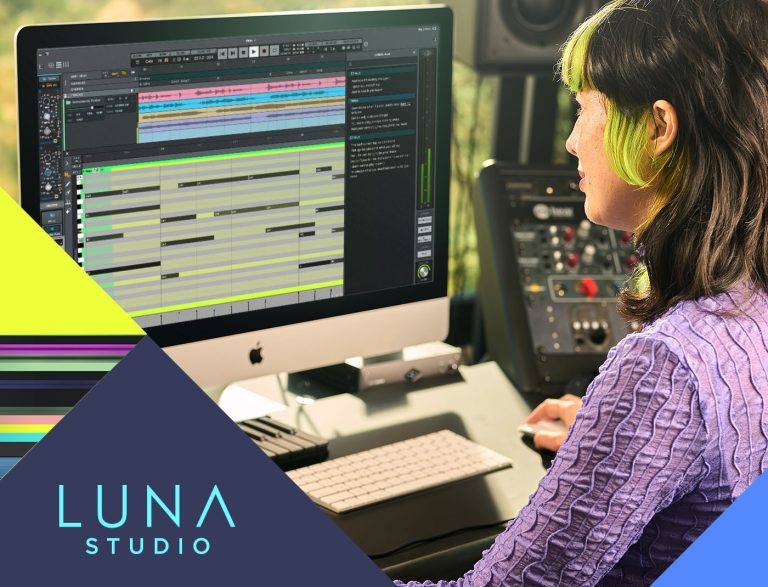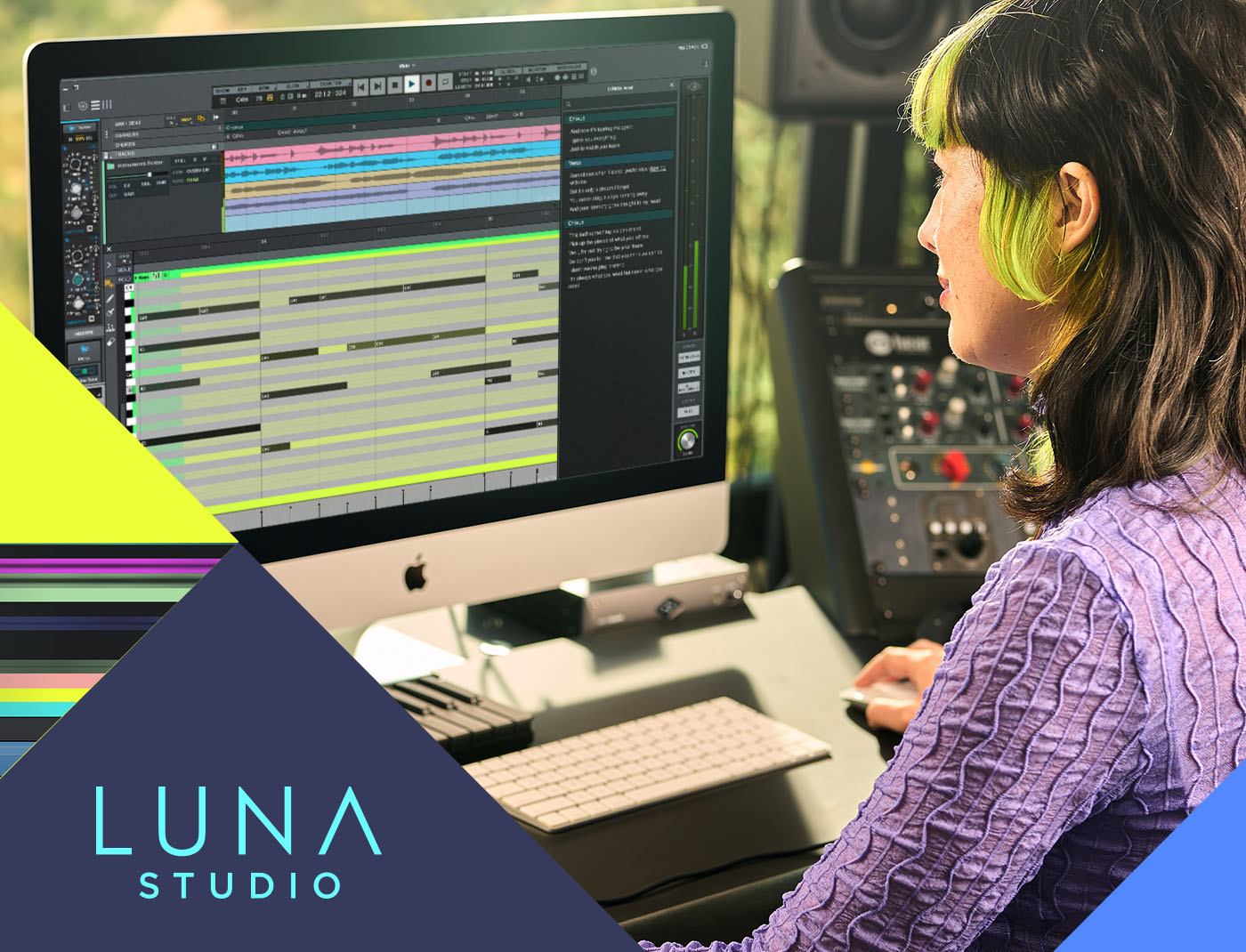
A really hot contender
Launched in 2020, LUNA was one of the first DAW software programs to offer authentic analog channel strips. It also provided summing and tape machine emulations from Neve, API, Studer, and Ampex. Since then, the developers have added several highly useful features. We took a brief look at version 2.0 when UA launched its Volt 876, and now, version 3.0 has arrived.
LUNA 3.0
On paper, version 3.0 of the Universal Audio LUNA looks like a really hot upgrade. It has received a host of improvements, not to mention all the new features and creative tools it boasts. Or how about LUNA Play, separation of audio tracks (stem separation), conversion of audio to MIDI and features for transcribing lyrics and chord analysis with support from Moises.
Universal Audio has a very solid past when it comes to developing all kinds of tools for all varieties of sound and music production. Hardware from UA is almost classic in a studio context, and the software plug-ins, which were initially very much dependent on UA’s hardware to function, now work just as well in a so-called “native” environment. That is to say: it is enough that your computer is modern and powerful enough to be able to handle the actual processing of audio data.
The developers themselves state that their goal was to make LUNA an intuitive and easy-to-use DAW, incorporating a range of features that integrate seamlessly into its workflow. Users can navigate the entire journey—from initial song sketches, through recording and mixing, all the way to mastering—without ever disrupting the creative flow. To this, they have added a host of modern features, as well as ARA support, which significantly streamlines various stages of the production process.
LUNA Free, LUNA Pro and LUNA Studio
Perhaps we should start by clarifying the differences between the various LUNA versions?
LUNA Studio replaces the previous LUNA Pro. While LUNA Free and LUNA Studio are essentially the same DAW software, LUNA Studio adds a host of clever tools that can prove incredibly useful. It is worth noting that LUNA Free actually offers an unlimited number of tracks. There are no time limits either; you get the Piano Roll view, the LUNA Play feature, the Oxide Tape emulation, plus 8 additional UAD plug-ins and a stem separation tool capable of extracting 4 separate tracks.
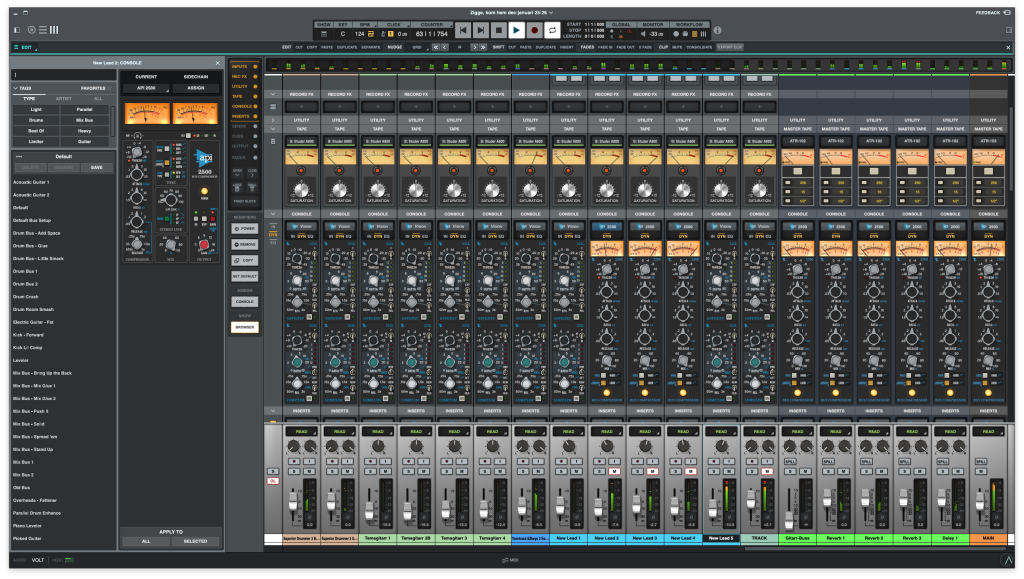
LUNA Studio adds a number of so-called “LUNA Extensions”—including tape and console emulations from API, Studer, and Ampex—along with 30 UAD plug-ins and instruments, six ARA plug-ins, hardware insert functionality, and several advanced features such as Audio-to-MIDI, 6-track stem separation, lyric transcription, and chord extraction.
And then there’s LUNA Play. The developers describe it as “a faster and easier way to write and record songs—like a voice memo app, but tailored for music creation, featuring automatic level adjustment and built-in presets for UAD plug-ins.”
It is included in both new versions of LUNA. We’ll take a closer look at it later on in this text.
So, what is the difference between LUNA Studio and UAD Spark Studio?
LUNA Studio is the DAW application, while UAD Spark Studio is the subscription bundle that includes LUNA Studio. In that bundle, you get LUNA Studio along with UAD’s entire library of native plug-ins and instruments. If you are only looking for LUNA as a DAW, you can either choose the free version—LUNA Free—or pay for LUNA Studio.
Essentially, LUNA Studio is the new version of LUNA Pro; it includes everything from LUNA Pro, plus all the new features.
If you prefer not to upgrade your LUNA Pro, you can still use it alongside all the new features available in LUNA Free. Everyone’s got it now, right?
New features in LUNA Free 3.0
Shall we take a look at the new features included in LUNA Free 3.0?
LUNA Play: Recording new song ideas should be as easy as child’s play—perhaps that’s what UA’s developers had in mind? In this mode, you simply plug in the instrument and/or microphone you want to use and hum or play your song idea. LUNA Play detects the instrument you are playing and automatically selects a set of settings from UA’s extensive library, ensuring the best possible sound quality.
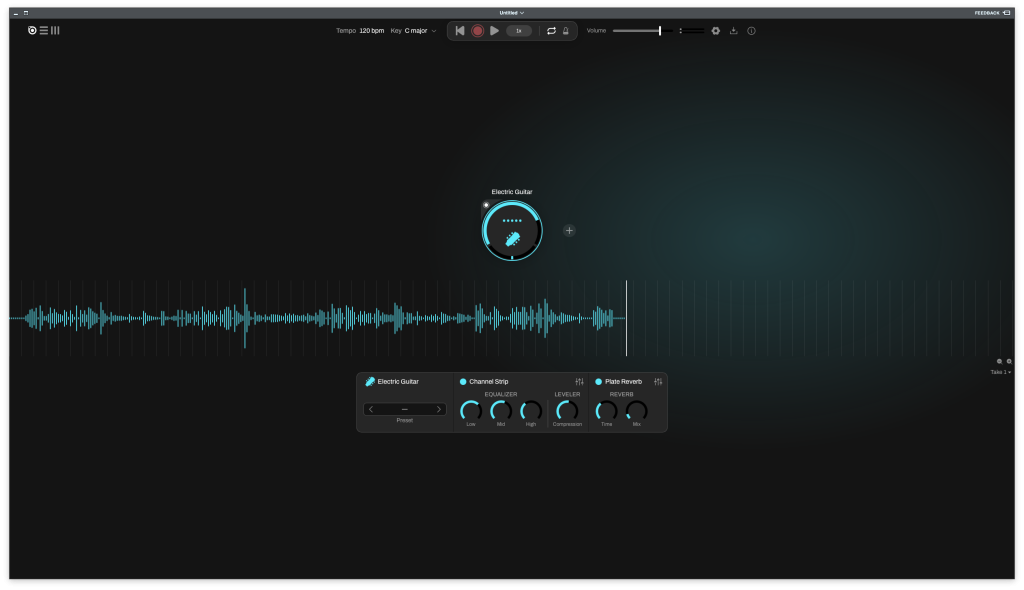
The feature can also detect your tempo and even identify the harmonies, placing them into a so-called “Chord Track.” You can perform a wide range of tasks within this recording mode. Essentially, it is an additional feature—or a viewing mode, if you will—that the developers have added alongside the standard mixer and editing (timeline) windows.
If you have a stereo mix of an old song, for example, you can import it and use the new stem separation feature to extract the specific tracks you want, then continue building your song from there.
You can then isolate individual tracks and add any instruments or vocal parts you feel are necessary. Naturally, the stem separation feature can also be used within the Mix and Edit modes. LUNA Free can separate 4 distinct stems, while the paid version, LUNA Studio, supports an additional two. This functionality feels like one of the most practical tools I’ve encountered in this type of software for getting a song idea off the ground.
If you’d like to learn more about the improvements made to what was already a highly useful free program, you can take a look at the details provided in the press release from Universal Audio. You can read it here: https://www.musikmakaren.se/2026/09/17/universal-audio-introducerar-luna-3-0/
Some new features that I think are truly worth mentioning are the super-simple Strip Silence function and the Clip Gain function.
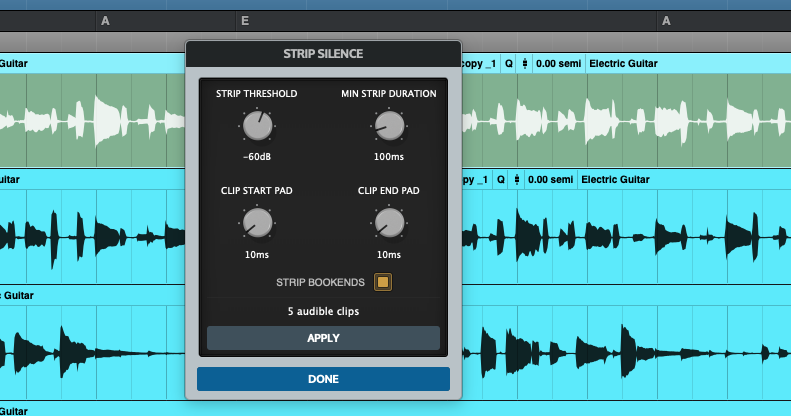
Strip Silence allows you to remove any unwanted hum, noise, or other extraneous sounds from a track. It functions like a fairly advanced noise gate, and you can see exactly what is being removed in the waveforms as you adjust the threshold in decibels. Very slick!
Clip Gain automation lets you adjust the volume of individual audio segments using a small fader, while simultaneously allowing you to see the effect on the waveforms. Extremely practical!
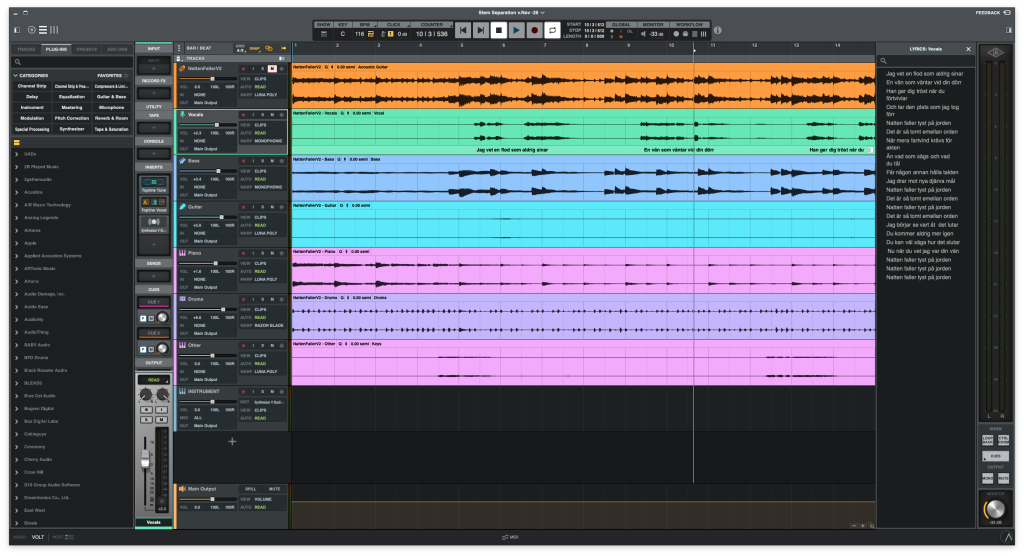
LUNA Studio is the fully-featured version of UA’s DAW; it includes everything found in the free version, plus an additional array of UAD plug-ins, LUNA extensions, and clever tools. The stem separation feature—which we mentioned previously and which extracts four stems in LUNA Free—can, in this version, distinguish between vocals, drums, bass, piano, guitar, and other instruments. The Studio version is also capable of transcribing song lyrics, performing chord analysis, and converting standard instrument tracks—such as an electric guitar—into MIDI tracks.
More excellent software
On the software side, there are LUNA Extensions—emulations of tape machines and mixing consoles from brands like API, Studer, and Ampex. In addition, there is a wide array of UAD instruments and plug-ins. All told, we count around 30 of these, and most—if not all—are of the highest caliber. You’ll find reverbs, delays, compressors, EQs—essentially everything you could possibly need, and then some.
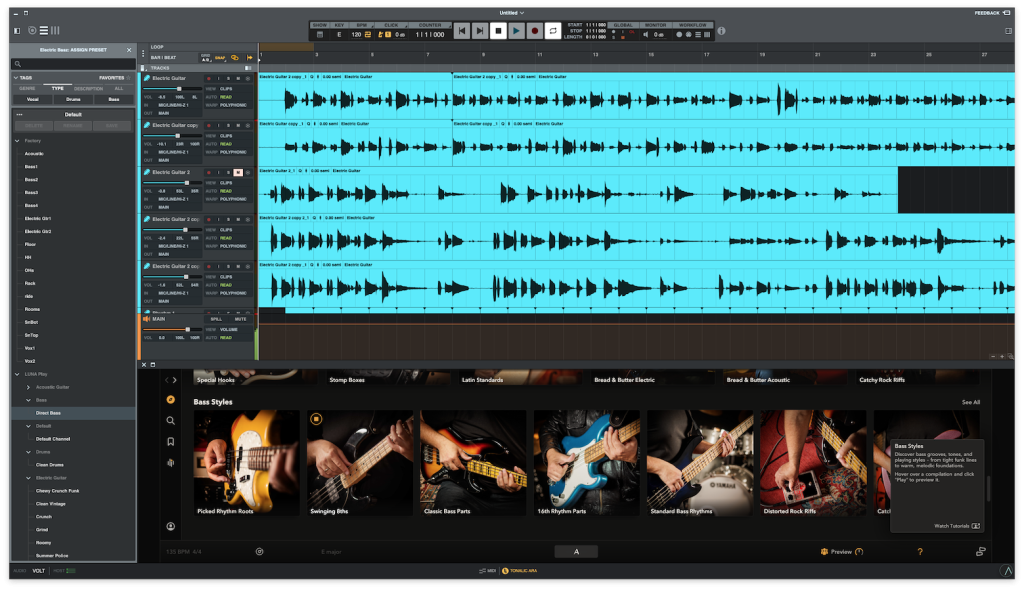
And then, of course, there is Tonalic Elements from Celemony—the company behind Melodyne, an application found in virtually every studio with any self-respect. Tonalic Elements is a somewhat stripped-down version of Tonalic. While the full version offers accompaniment from a variety of guitarists across numerous musical styles—along with a selection of bassists and a wealth of drums and percussion—the Essential version provides a single guitarist who acts as a virtual studio musician, playing along with your track. He performs in a wide range of styles, and you have access to both acoustic and electric guitars to assist in your music creation. If you wish to upgrade to Tonalic Arranger or the Studio version, these are available via subscription; they offer a host of additional features, depending on the version you choose. Tonalic Arranger costs €14.90 per month, while the top-tier version, Tonalic Studio, is priced at €24.90 per month. To see exactly what these versions offer, I recommend taking a look at the Tonalic website: https://www.tonalic.com/index.html#musicians
Additional treats
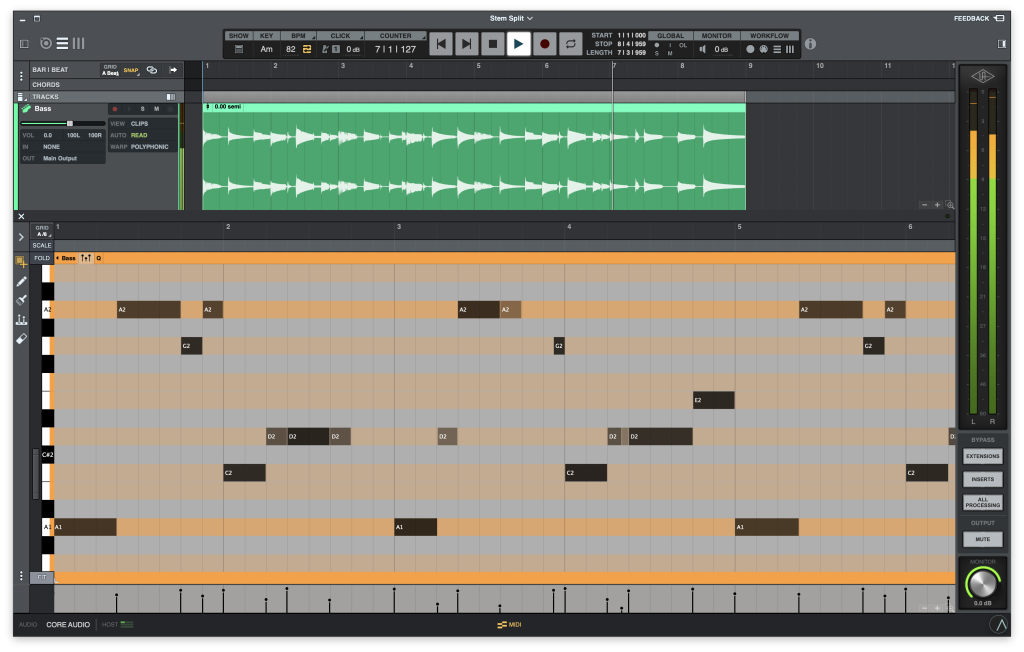
Audio-to-MIDI might not sound like a particularly remarkable feature, but take a moment to consider what it can actually achieve. It can convert virtually any audio track into a MIDI track. You can then replace your original instrument or vocal performance with synthesizer sounds, or simply layer them. You can easily quantize or edit your new MIDI track, add some “swing,” or apply any other techniques you would typically use with standard MIDI instruments.
The Lyric Transcription feature does an excellent job of transcribing your lyrics; you can choose to display them beneath your vocal track, in a side window, or both. The lyrics are synchronized with your vocal track, allowing you to jump directly to a specific vocal phrase—whether you want to edit it or perform a “punch-in” to re-record that particular section.
Both this feature and Chord Extraction—which we touched upon briefly—are powered by Moises, an AI-driven company that offers its own standalone apps alongside various other features. For instance, by generating a dedicated chord track, any Tonalic accompaniment will automatically switch chords at the correct points throughout the song.
Naturally, both Celemony Tonalic Essential and Synthesizer V Studio 2 Core rely on ARA support. Synthesizer V Studio 2 Core is a plug-in capable of generating vocal parts entirely on its own. You can define the notes, define the lyrics, select the specific vocal timbre—essentially controlling every aspect you would manage if you had a real vocalist in the studio. For those who completely lack a singing voice yet still want to be able to write songs and record demo versions of them, this should be a godsend.
In use
LUNA 2.0 was already a very powerful and capable recording program; with the update to version 3.0 and the introduction of LUNA Studio, the developers at UA have taken the entire package to a significantly higher level. Naturally, when you sit down with a DAW that you aren’t particularly familiar with—especially one that has been updated and packed with a host of new features—there is bound to be a bit of a learning curve.
Despite this, much of LUNA’s workflow—including the new features—feels highly intuitive and easy to grasp. And should you encounter something you simply don’t understand, there is plenty of help available online. Over the years, I’ve explored many programs of this complexity, yet I have never encountered such an extensive collection of well-thought-out, instructional “Getting Started” videos. They allow you to get into the “LUNA mindset” in no time at all; furthermore, there is an excellent follow-up series in which a highly skilled producer demonstrates how to execute more advanced music productions. Full marks for the educational approach!
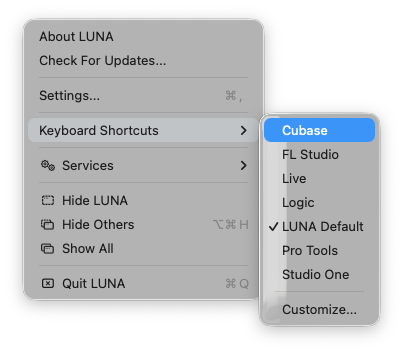
As for individual features, I am very pleased with most of what’s new. As a long-time Logic user, I am particularly grateful for two reasons. LUNA allows me to choose keyboard shortcuts that match those in Logic—or, if you prefer, Cubase, FL Studio, Ableton Live, Pro Tools, or Studio One—or you can simply create your own custom shortcuts.
The second advantage over Logic is the support for using ARA plug-ins. That is a *huge* advantage. If you use Celemony Melodyne or Tonalic, Synchro Arts VocAlign Pro, Antares Auto-Tune, Waves Sync VX, or any other plug-in with ARA support, you have to launch Logic via Rosetta—because Apple hasn’t managed to sort this out when running Logic on a Mac with one of their M-series processors. It’s quite strange, really, considering that other DAW applications with ARA support run perfectly fine on these new Macs. It is, quite simply, a problem that lies with Logic. Apple has had several years to fix this, but still nothing…
And now, even Pro Tools has managed to solve it. Say no more!
To draw comparisons with other DAW software, it is worth taking a look at LUNA’s stem separation feature. It was first introduced in LUNA 2.0.5 and has since been updated in version 3.0. In LUNA Free, you can split a mixed track into four separate stems (or tracks), while LUNA Studio offers six. I have tested this functionality in Digital Performer, Steinberg’s Cubase and Nuendo, Pro Tools, Logic, and Live. Compared to the other applications that include this feature, LUNA lands somewhere in the middle of the pack. Logic is by far the best, both in terms of minimizing artifacts within individual stems and preventing “bleed” between the different tracks. Most of the other DAWs in the group perform at a fairly similar level. There are clear differences compared to Logic—and, as mentioned, there is room for improvement across the board, including in LUNA. I should also point out a minor detail regarding LUNA: after the stem-splitting process, the original file continues to play alongside the separated stems. If you don’t want to hear it, you have to mute it manually. It’s not a major issue, but in Logic, this happens automatically—and I honestly can’t think of a scenario where you would want to hear both the original file and the split stems simultaneously. Still, it’s a trivial point in the grand scheme of things.
One feature I was particularly pleased with, however, was the new LUNA Play. I was very impressed by how the software immediately recognized that I was playing an electric guitar, suggested an appropriate setting for that specific instrument, and correctly identified both the tempo and the key. When I subsequently asked LUNA to transcribe my lyrics, it did an excellent job—even though Swedish lyrics might not have been the primary focus for an American DAW. I only spotted a couple of minor errors, which were easy to correct within the software. Full marks there!
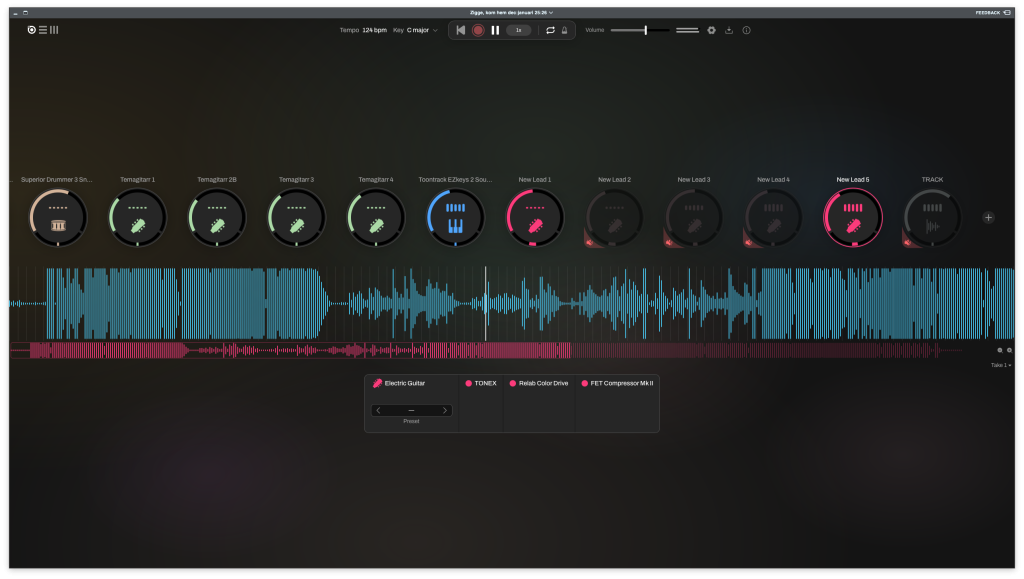
The inclusion of Tonalic Essential was perhaps the most positive addition of all. Even as a long-time guitarist myself, I discovered a wealth of inspiring guitar accompaniments. These tracks feature highly experienced studio musicians who handle their instruments with true mastery. Furthermore, everything was recorded in a studio with excellent sound quality, covering a wide range of playing styles and genres. A genuinely fun and useful feature!
And take note: This sounds exactly like what it is—real musicians playing. It’s damn good!
I had the chance to try out the fully expanded version of Tonalic, featuring various types of bass, drums, and other percussion. And the impression remains: this is genuinely fun and useful. I hope to find the time to write a short article about this, too, in the near future.
In conclusion
LUNA version 3.0 is packed with so many new features that one can easily forgive the developers for the occasional minor slip-up. Audio-to-MIDI conversion works flawlessly, as do Strip Silence and Clip Gain. Furthermore, quantization can be applied to both MIDI and audio files. There is now, at long last, a highly anticipated “piano roll” editor. Support for Tonalic is a major plus, as is compatibility with other ARA-enabled plug-ins.
LUNA Play, Folder Tracks, Adaptive Grid, Record FX, Chord Track, and automatic Key and Time Signature detection are all new features that are also included in LUNA Free.
LUNA Studio adds a range of features and/or enhances those found in the free version. Stem separation is expanded from four to six stems; Lyric Transcription and Chord Extraction are two features developed in collaboration with Moises; and 30 high-quality plug-in effects and instruments are included (compared to eight in the free version). Other highlights in LUNA Studio include UAD Topline Vocal Tune, Celemony Tonalic Essential, and Dreamtronics Synthesizer V Studio 2 Core.
Furthermore, the Studio version features LUNA Extensions—including tape and console emulations from API, Studer, and Ampex—as well as six ARA-compatible plug-ins and the ability to use hardware inserts.
One thing strikes me, however…
In version 2.0, LUNA felt like an application truly intended to compete with Pro Tools, Cubase, Logic, and the other top-tier DAWs. And don’t get me wrong—all those high-end features from the previous version are still there, and a host of even more sophisticated capabilities have been added. But given the new features—which, above all, make things easier for the less experienced musician or producer—could it be that the target audience has shifted slightly? Or perhaps they are aiming to reach anyone with even the slightest interest in creating music? Well, time will tell. LUNA certainly has the potential to pull off such an ambitious move. If the developers keep advancing the software at this pace, trying out LUNA 4.0 could be a truly exciting prospect. Fingers crossed!
Links
Here you can read what we thought about LUNA 2.0 and Volt 876:
Read more about LUNA:
https://www.uaudio.com/collections/luna
More info about LUNA Free:
Read more about LUNA Studio:
More info about UAD Spark Studio:
FACTS & FIGURES
SYSTEM REQUIREMENTS
macOS Big Sur 11, Monterey 12, Ventura 13, Sonoma 14, Sequoia 15, and Tahoe 26; Windows 10 or later
Intel quad-core i7 (or better), or an Apple M-series processor is recommended
16 GB of RAM or more is recommended; an SSD is preferred for recorded material
REQUIRED HARD DRIVE SPACE: 600 MB of free space
DEVELOPER: Universal Audio, www.uadio.com
DISTRIBUTOR: Fitzpatrick IG, www.fitzpatrick.com
PRICE: LUNA Free: free; LUNA Studio: LUNA Studio costs $199 and is also included in the UAD Spark Studio subscription, which combines LUNA Studio with UA’s entire library of native plug-ins for $19.99 per month or $149.99 per year.
PROS
- Sounds very good
- Great value for money
- The software is very easy to work with
- Lots of new extra features
- Tonalic Essential is genuinely good
- Audio-to-MIDI works flawlessly
- Includes many great plug-ins from UA
- Even the free version, LUNA Free, is very useful
- Part of a complete, top-tier system of hardware and software
CONS
- Stem separation could perhaps be improved
About The Author